RE Colorizer – AI Photo & Video Colorization for Windows
Because once your images are online, they no longer belong to you
With RE Coloriser, your images stay with you

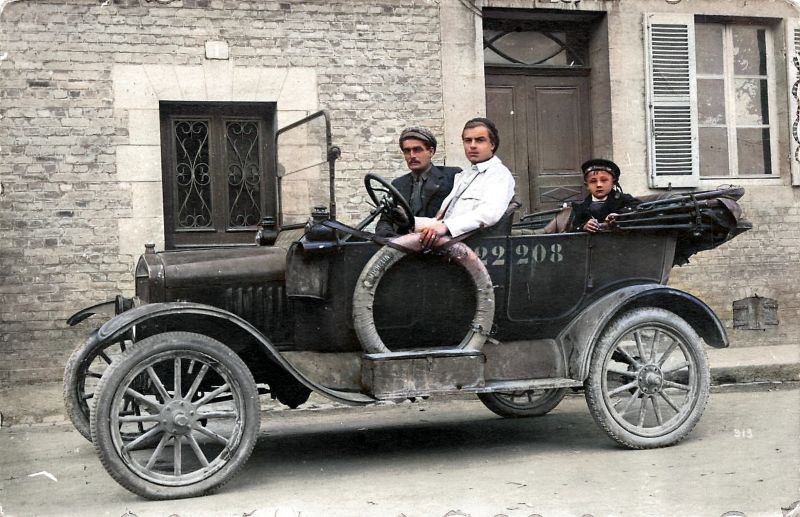
🔷 Bring your memories back to life
Colorizing old photos is now accessible to everyone. However, your family memories and private archives deserve special care.
While many online services process your images on remote servers, RE Colorizer chooses a fully local approach:
- 100% Local: The application installs on your computer. The entire colorization process happens directly on your machine.
- Privacy First: Your photos never travel over the Internet. They stay exactly where they belong — with you.
- Total Control: You maintain full control over your files, without relying on third‑party platforms or an active Internet connection.
RE Colorizer combines the power of AI with a deep respect for your privacy.
Available Versions
LIGHT Version (v2.5.0)
- Media Type: Images only
- Processing: One by one
- Rendering Engine: CPU (Standard)
- Price: Freeware (Free)
PRO Version 3.9.77
Media Type: Images & Videos
- Processing: Photo Batch (Full folders)
- Rendering Engine: NVIDIA CUDA GPU (Fast)
- Optimization: MP4 / H264
- Workflow: Advanced workflow pipeline
- Price: One-time purchase :
Lifetime license for 2 PCs


Cutting‑Edge Algorithms
Optimised by NoGAN technology for colorization that respects original textures and contrasts — without that "painted" look.

Local Performance
Optimized for modern CPUs and NVIDIA GPUs (PRO version) to ensure smooth rendering, even for high‑definition video content.
Smart Management
From single photos to full‑folder batch processing, the PRO Version automates your workflow with just one click.
How Does RE Colorizer Work?
DeOldify is based on Generative Adversarial Networks (GAN). It doesn't just add color; it interprets the content of the image (faces, clothing, landscapes) to apply the most historically plausible hues.
Designed for Simplicity:
- Standalone Installation: No technical knowledge required. No Python to install, and no complex scripts to configure.
- "One-Click" Interface: Simply select your photo (or photos/videos for the PRO version) and press the process button.
- Simplified Adjustments: The "Render Factor" allows you to fine-tune the colorization resolution for the best possible results.
System requirements
RE Colorizer Light
OS: Windows 10/11
Processor: Standard i3, i5, or i7.
RAM: 4 GB minimum
Uses the power of your CPU.
RE Colorizer PRO
OS: Windows 10/11
CPU: Multicore
RAM: 8 GB minimum (16 GB recommended)
GPU: NVIDIA with CUDA support required.
Essential for video processing and batch tasks.
Credits – DeOldify
The integrated colorization engine uses Open Source DeOldify
technology
(Copyright © 2018–2019 Jason Antic), distributed under the MIT
license.
DeOldify Original Authors: Jason Antic and Dana
Kelley
DeOldify Official GitHub Repository: https://github.com/jantic/DeOldify
MIT License: https://github.com/jantic/DeOldify/blob/master/LICENSE
RE Colorizer original development: PhM 1000 Sofware Engineering - Philippe Mathis
RE Colorizer uses technology enhanced and optimised for Windows.